

OSINT Search: How to Find Information About Someone Online

In my work, a few types of cases come up regularly: a landlord finding a tenant’s ten-year-old arrest information that never led to a conviction, or a hiring manager skipping a suitable candidate because of an unverified complaint thread online. Both show why it is useful to understand what people can find about you through a public records search, social media, and a broader digital footprint search — before someone making a decision about you finds it first.
Open source intelligence, or OSINT, is the collection and analysis of publicly available information to answer a specific question. If you are asking what is OSINT search, the important distinction is that OSINT is not simply a people search online. Search engines, public records, social profiles, web archives, databases, and other sources are combined and verified to build a wider picture.
This guide explains how OSINT search works, how to find information about someone online, which OSINT tools are useful for public records and people search, how to verify connections between sources, and what you can realistically do when sensitive or harmful information appears in your digital footprint.
How to run a digital footprint search
Start your OSINT search with a specific question, such as “Where is my home address visible?” Keep the research focused on sources that can answer it.
- List the name variations and usernames relevant to that question. Include former names or locations when they help distinguish you from someone else.
- Open the source pages. A search snippet can omit context, history, or show information that has changed. For social accounts, check what is visible to someone outside your contacts.
- Follow relevant connections. A username may lead to activity on an old forum. Check whether the evidence supports each connection before treating it as a match.
- Record the findings that need attention. Save the URL, retrieval date, and the specific information or claim you want to address.

Even the absence of information is information.
Things to keep in mind:
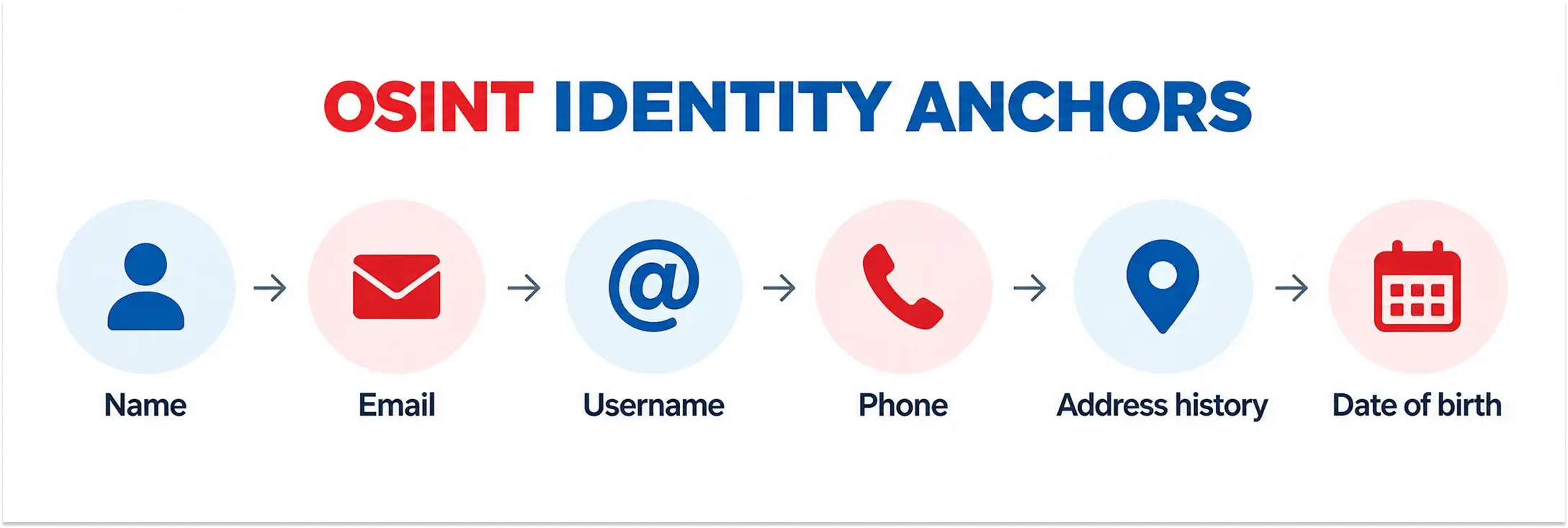
- One identifier can be enough. A reused username, email address, or distinctive detail in a photo can connect the dots, leading to much more information.
- Deleted doesn’t always mean gone. Information can persist in caches, archives, screenshots, reposts, and the traces left by its disappearance.
- OSINT search is about connections. The real value isn’t in any single search result, but in how separate pieces of public information fit together.
Where to search public records
People search online takes place across six categories of sources.
Search engines
Google and other platforms index the open web. Snippets and third-party caches can preserve information even after a page changes or disappears. Use operators to get more specific results. Add site:linkedin.com to restrict results to LinkedIn or -site:linkedin.com to exclude it. Google’s operator guide explains these options.
Social media
A social media background search covers publicly visible profiles, posts, and tagged photos. Check their dates and context before treating them as evidence of someone’s current activities. A username sweep shows where the same username is used across multiple services.
Public records
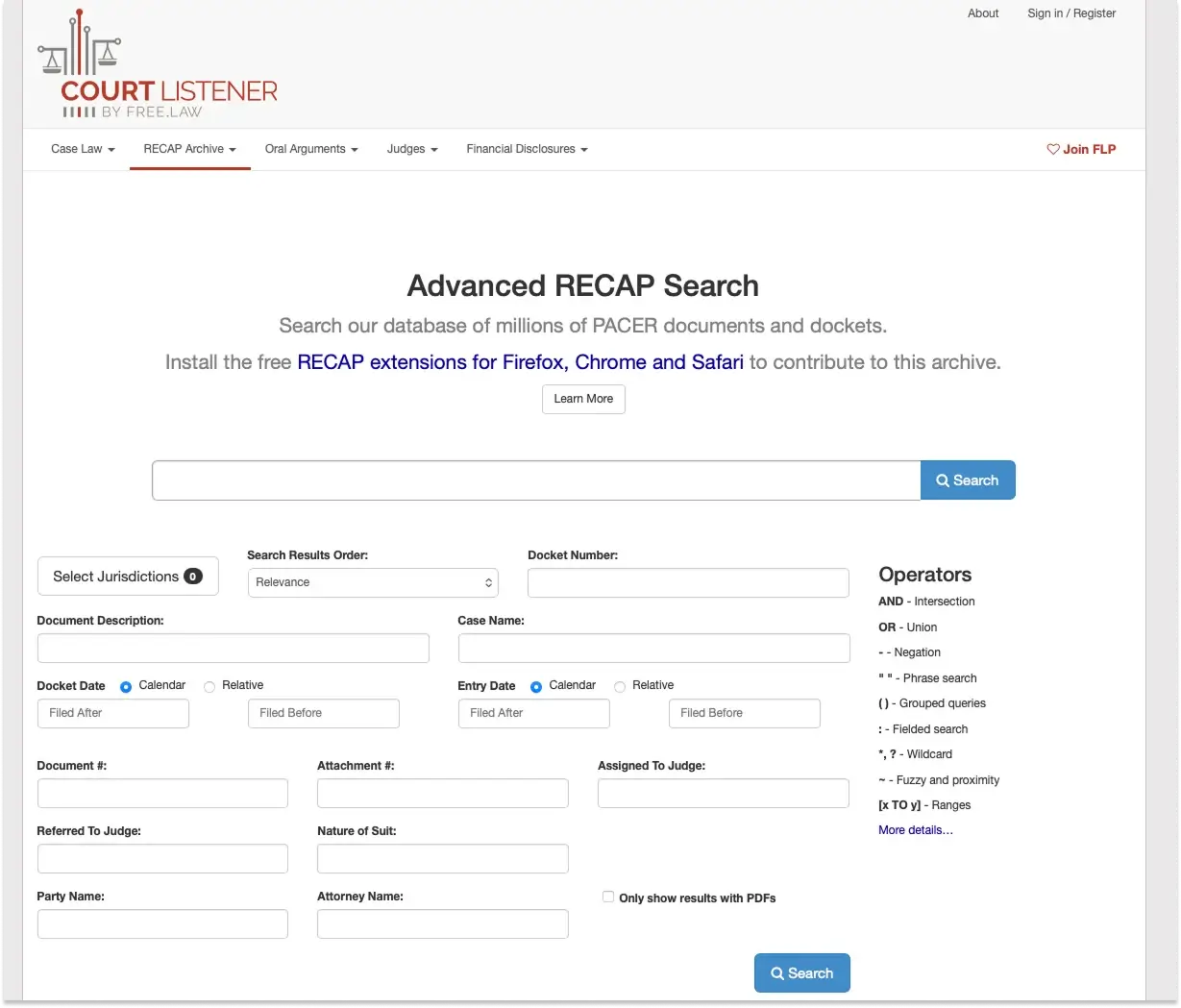
These include county court lookups, property deeds, business filings, voter rolls, professional licenses, and obituaries. One popular starting point for court records is CourtListener.
People-search sites
An online database can place addresses, phone numbers, and family relationships in one searchable profile. Information that would otherwise require several separate searches becomes easier to find and reuse. These sites often collect data from social media, public records and commercial sources, assembling profiles of people who never agreed for this in the first place.
The long tail
A username reused on a professional account can lead back to personal discussions from years earlier. An old post may then be quoted without the surrounding conversation or presented as though it describes someone’s current views. For example, Disney fired “Guardians of the Galaxy” director James Gunn over Twitter jokes posted years before he was hired, despite him stating that they didn’t reflect his current views.
Breach data
When a service gets hacked, it’s nearly impossible to track all leaked data and remove it. Once personal data has been copied, leaked, or redistributed, even shutting down the original service doesn’t prevent copies from spreading. The US recorded 3,322 data compromises in 2025 — a 79% increase over five years.
Early warning signs in your digital footprint:
- Using the same username across platforms creates a persistent digital trail. Search your usernames to see what is currently linked.
- Public contact info used for domain registrations or public filings connects directly to you. Use dedicated business contact details.
- Visual patterns, such as recurring background landmarks in photos, reveal your routine and location.
- Regular tagging by friends or colleagues might leak your location or plans. Discuss your privacy expectations with your inner circle.
Best OSINT tools for public records and people search
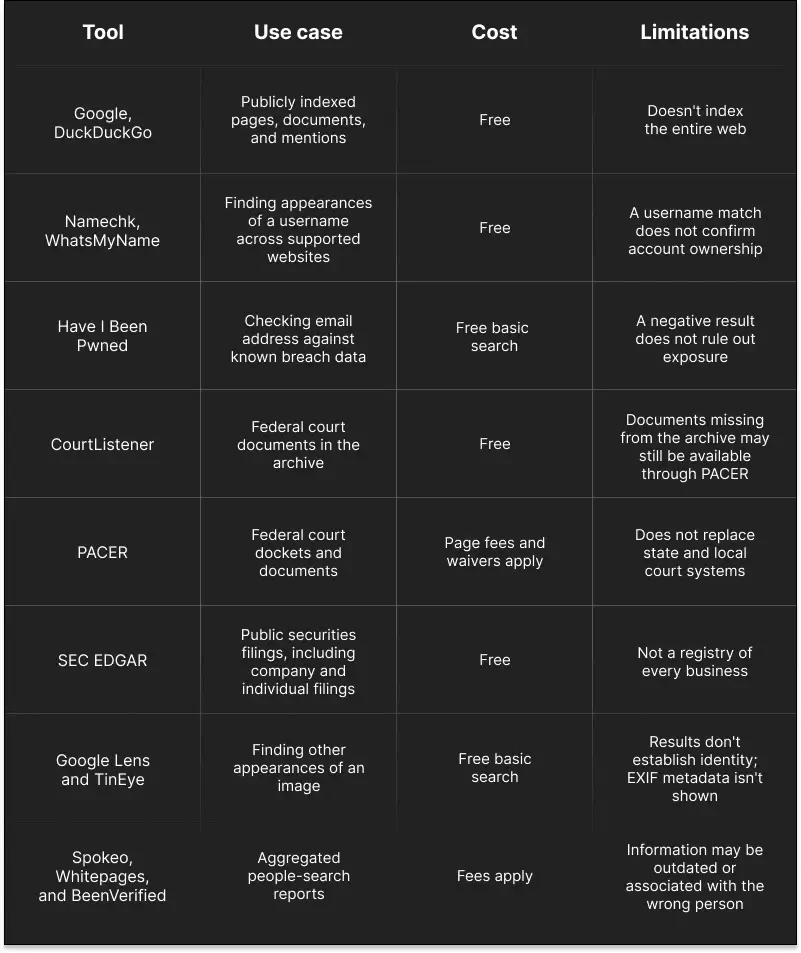
For a personal audit, useful selection criteria are cost, coverage, and whether you can inspect the source behind a result. These tools serve different purposes, so a username checker cannot replace a court-record search.
- Advanced osint search (‘Google dorks’). Use Google, DuckDuckGo, and other search engines. This is often the fastest way to discover old profiles, documents, mentions, cached pages, and other publicly indexed information.
- Username sweep. Namechk and WhatsMyName allow users to search the same username across dozens or hundreds of websites at once. Usernames are often more useful than names because people tend to reuse them across platforms.
- Breach check. A breach result doesn’t necessarily mean that an account is currently compromised, but it can reveal which services exposed an email address and help identify older connected accounts.
- Court records. CourtListener, and similar services help identify publicly available records and case information in US federal courts.
- Companies and corporate filings. Search corporate registrations, company relationships, officers, filings, and securities disclosures to establish links between a person and a business, particularly when a name alone produces many unrelated results.
- Reverse-image osint search. Might reveal where a photograph has appeared elsewhere online, including older profiles or websites.
- Paid people-search services. Spokeo, Whitepages, BeenVerified, and others aggregate information from public and commercial databases and can produce a report faster than a manual search.
Tips for DIY OSINT search:
- Start broad, then narrow down. Begin with a name, username, email, or organization, then add locations, employers, dates, or other identifiers as you find them.
- Use search operators. Try quotation marks for exact phrases and operators such as –site:, -filetype: to target or exclude specific results.
- Connect the dots across sources. Search the same identifier on multiple databases and social platforms, and image-search tools rather than relying on one source.
- Verify before concluding. Treat every result as a lead and cross-check names, dates, locations, photos, and other details against at least one independent source to avoid false matches.
Can OSINT findings be removed?
This depends on where it appears and the grounds for removal. In our work, we often identify privacy or confidentiality issues to support deletion requests. False claims may be challenged separately while legitimate information may require formal correction, redaction, or sealing. Deleting a source is also different from altering osint search results and doesn’t erase its copies. Any removal agreement should clearly specify what will be removed and where.
What deleted data might still reveal
What is perceived as deletion is just removing one copy, while the data remains on the internet.
- Google snippets. A summary of a web page lives long after its deletion sometimes.
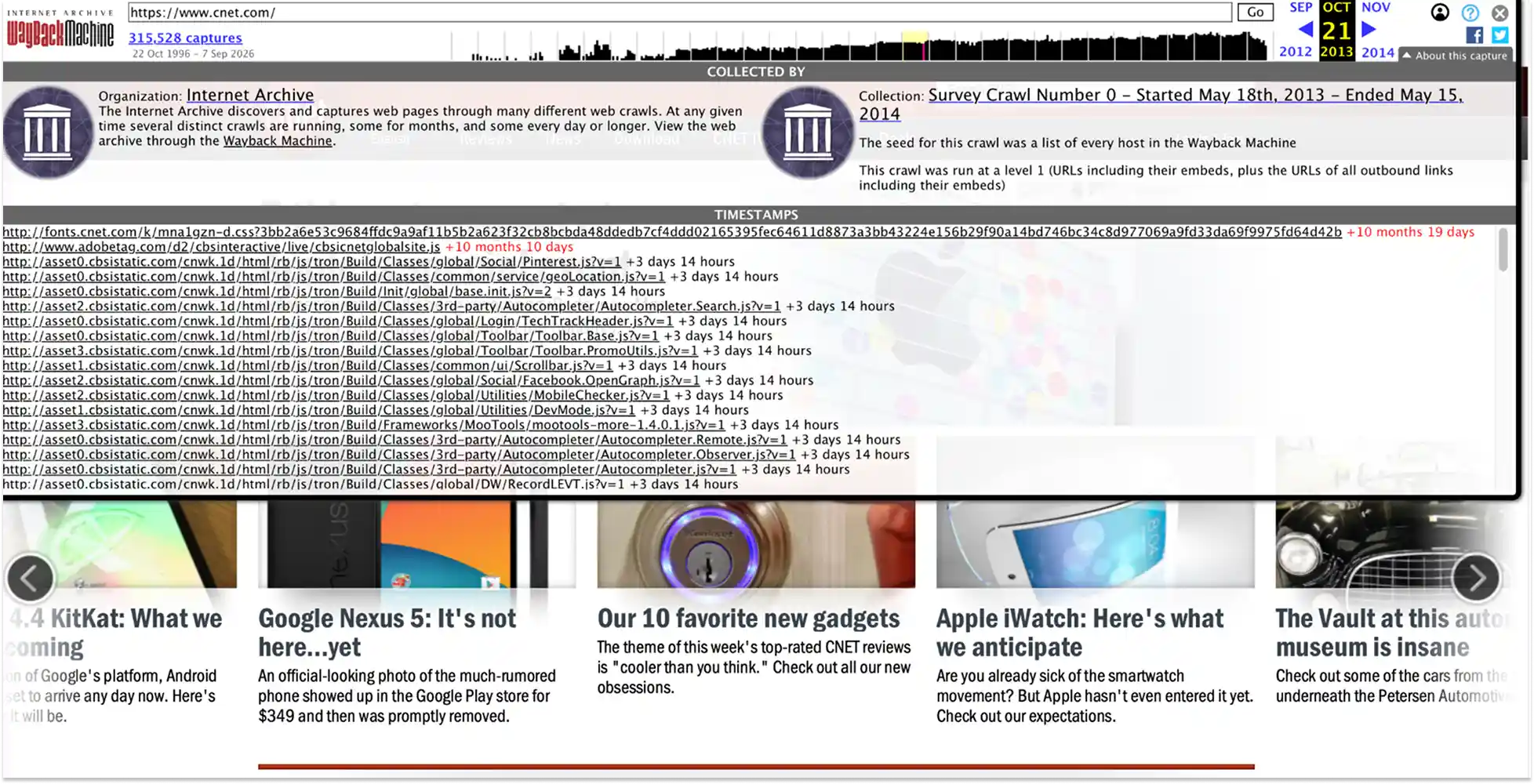
- Archives. Deleting the original webpage doesn’t delete its snapshot in the Wayback Machine and other services.
- Broker copies. Spokeo and others keep their own crawl data, which can outlive sources by ten years.
- Breach dumps. The account’s deletion doesn’t remove last year’s dump.
- Screenshots. If someone saved one, a loud public takedown demand often becomes a bigger story than the data itself.
- Social media. A deleted account also keeps its username tied to your old email for years, so a “closed” profile might still collide with a reused username.
How can AI help with findings?
The surge in AI’s capabilities makes AI a powerful assistant for working through extensive sets of data when it comes to analyzing and summarizing sets of data. However, it’s not the most reliable tool for fact verification. Models can state something confidently without any sources supporting it. Give it records you have already located, then compare its output with the source passages.
Pay attention to names and relationships. A model may combine information about two individuals with the same name or describe an allegation as a fact. If it claims that two records concern the same person, check what evidence supports that connection. A similar face or matching surname is not enough.
Be careful with AI face search results. Facial-recognition tools have led to over a dozen of wrongful arrests in the US, due to mistaken match of a driver’s license photo to surveillance footage and other data mismatches. An AI-generated visual match should never be treated as a conclusion before independent verification.
Before uploading personal records to an AI service, check its retention and training policies. Remove details the task does not require.
Pros and cons of AI-assisted search:
- Pros: Connections that took days now take minutes; reverse-image search surfaces photo variants a human would never scroll to; foreign-language sources become usable.
- Cons: models can invent links between strangers; queries may be logged; the same tools migh be used against you.
When accurate OSINT data creates a false story
An article can cite genuine records and still make false claims about someone. In online reputation management, removal requests should identify the disputed statements and the grounds for challenging them. Copies elsewhere on the internet may need separate requests.

In one case our team usernamed, someone used genuine information about a client as the foundation for a so-called investigation. The accompanying comments and conclusions were false. Including accurate details made the fabricated narrative appear credible. We had the material taken down.
Red flags that you’ve matched the wrong person:
- A list of relatives whose surnames keep changing. Usually means the osint search is crossing from one subject into another.
- Ages and timelines contradicting each other. A graduation year that doesn’t match the listed birth year, or employment dates that overlap school enrollment, usually signals records from different generations of the same name.
- Contact details shared with multiple, unrelated people. A phone number or email address linked to several different names is a strong sign of a shared or recycled record.
- Dramatic occupation changes within a short period. A doctor, then a truck driver, then a day trader across two years is usually a name collision.
How to verify OSINT search results
Every item of data should be graded, then tested. Below is the general verification workflow.
Have two independent sources. A court record plus an obituary can corroborate a fact. Two blogs that copied the same third blog confirm nothing.
Date everything. Record the URL, the screenshot, and the day you saw it. Web pages or databases are not completely stable.
When a record looks wrong, test the document. Data from a people-search site that looks wrong for your subject is a lead to verify, not a conclusion. Make sure to find the original underlying document (case record, etc.).
Before adding a finding to a report, ensure:
- Two independent sources agree;
- A primary document was located;
- The person’s identifiers match;
- The evidence is captured (URL, screenshot, and retrieval date);.
- The result is labeled and graded (confirmed, probable, or unverified).
How to protect privacy in online people search
Remove or correct exposed information
Review profile biographies, contact fields, and public posts. Check whether other people’s tags make information visible beyond your intended audience.
For a page you do not control, identify the publisher’s correction or removal process. If a record is inaccurate, explain the error and provide the relevant evidence. Public court records may require a court process for sealing or redaction; a request to a search engine does not change the underlying record.
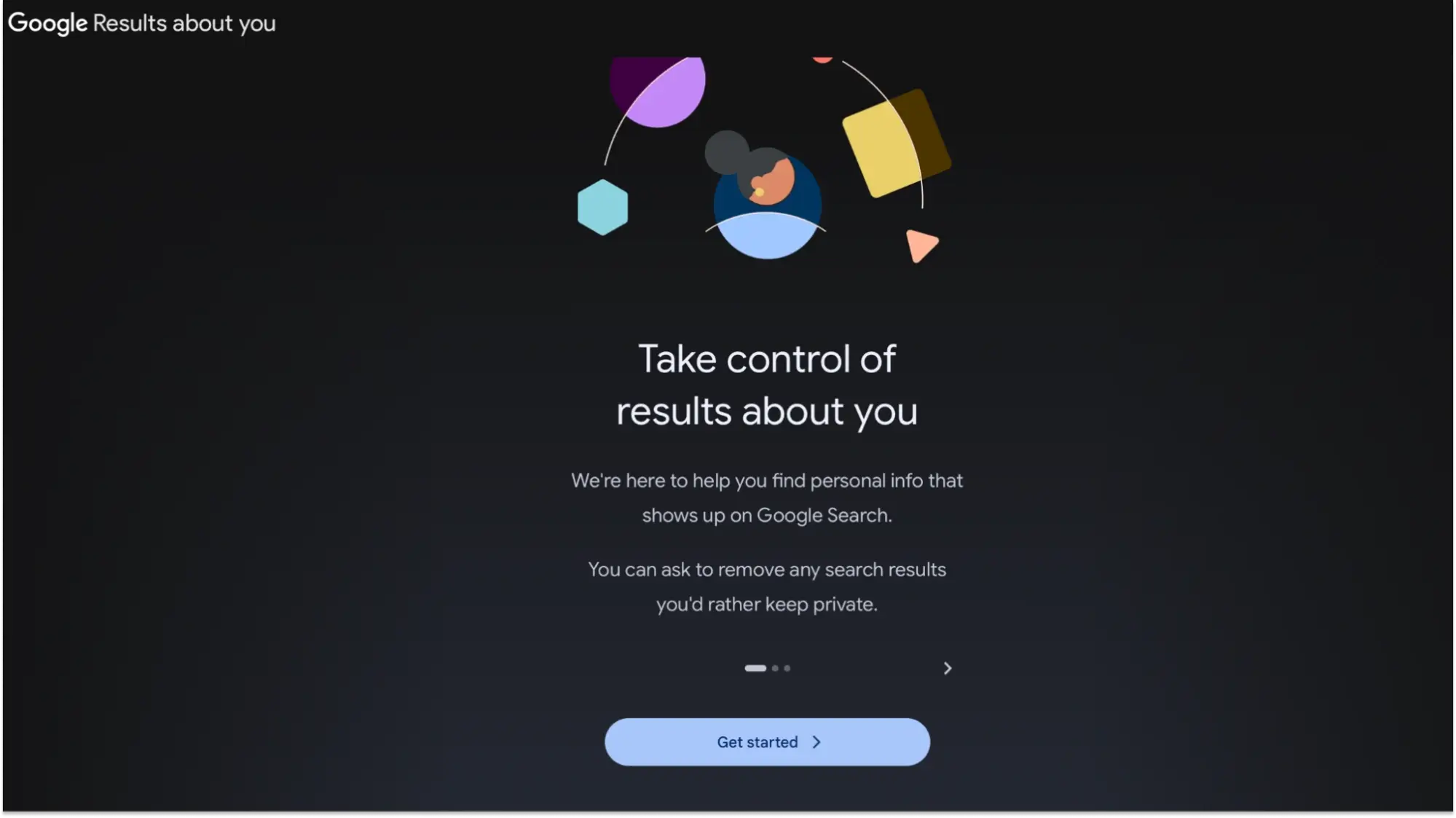
Google’s Results about you tool helps users find and request removal of results containing personal information such as an address or phone number. Removal depends on Google’s policies, and some public-interest sources are excluded. Removing a search result does not delete the source page.
Reduce future exposure and check for reappearances
Use one email alias per service. Use a unique password for every account and enable two-factor authentication (2FA), since a reused password is a master key to every other account where it’s used. Turn off location metadata for photos.
Set up Google Alerts for useful name variations and repeat your searches every few months. Keep a log of removal requests and recheck the affected pages.
DIY protection pros and cons:
- Pros: DIY is free and usernames most normal exposure.
- Cons: brokers re-crawl faster than people re-opt out; media and image removals need legal fluency; monitoring never ends — and it’s often easier to delegate to experts.
If the steps above aren’t enough, that’s the scope of our personal data removal service. We actively remove sensitive information from search results, news outlets, and legal databases. Combining customized, expert-driven strategies with continuous monitoring, we aim to keep private details reappearances to a minimum. This approach helps protect against identity theft, cyberstalking, and unwanted exposure.
FAQ
OSINT meaning: open-source intelligence, which is publicly available information evaluated to answer a question. “Open source” describes the information’s availability. It does not mean every OSINT tool must be free or use open-source software.
Legality depends on the source, collection method, and intended use. Public availability does not remove privacy obligations or permit harassment. Employment, housing, and credit screening may involve additional requirements.
For a basic personal privacy audit, start with Google, WhatsMyName, and Have I Been Pwned. They cover indexed web pages, public username appearances, and known breach exposure. Use the relevant official database or agency portal for that record.
Yes. Search platforms, web archives, username lookups, and basic breach checks are usually free . Some public records carry retrieval fees, and paid services may charge for reports or monitoring. Free access does not mean complete coverage.
Start with a name and location, then check relevant public profiles and official records. This helps to find information about someone online without relying on a single database. Verify each identity match and stay within lawful access limits.
No single search service covers every public record. For example, PACER covers federal court records; aggregators might provide leads, but important findings should be checked against the original documents.
List of sources







This article does not have any comments. Be first to leave one.