

How to Remove Bad Reviews on Amazon
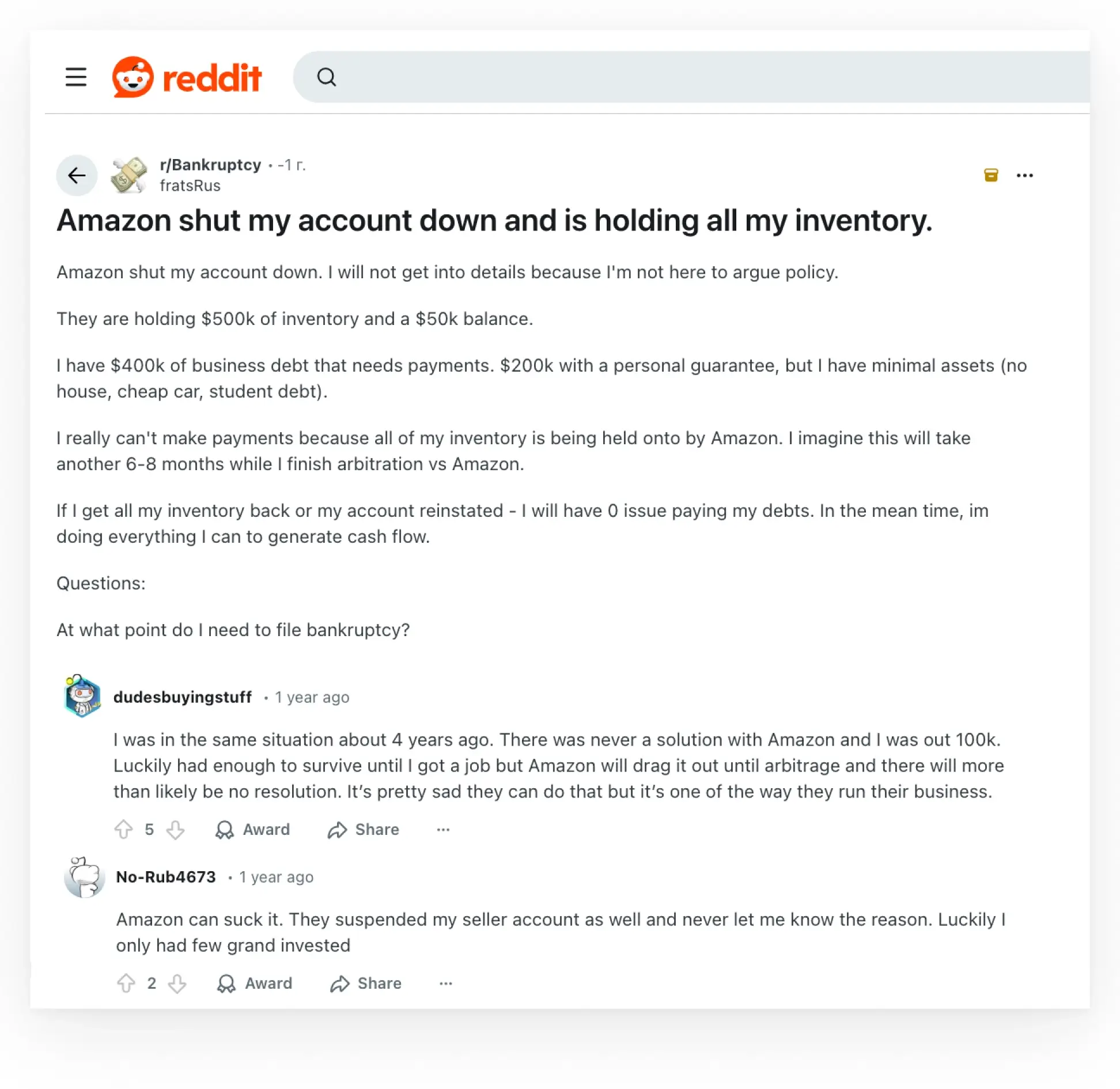
Amazon is known for its strict policies regarding content quality and seller practices. Take, for example, the story of Redditor fratsRus, whose $500,000 inventory was held by the marketplace due to alleged violations. This forced them to consider filing for bankruptcy. There are numerous stories of Amazon sellers getting blocked.
Reviews on Amazon play an important role in establishing an online reputation and trust. Negative feedback can damage a brand’s image, lower its ratings, and impact its sales. Customers often read reviews before making a purchase, and businesses check seller ratings when considering partnerships.
If negative reviews on Amazon hurt your business performance, don’t risk it until things get out of hand. Whether you’re dealing with fake reviews, defamatory content, or you want to improve your customer feedback, check out our guide for actionable strategies to boost your reputation and your products’ success. Even when a traditional review report doesn’t work.
Why It Is Important to Take Care of Your Amazon Page
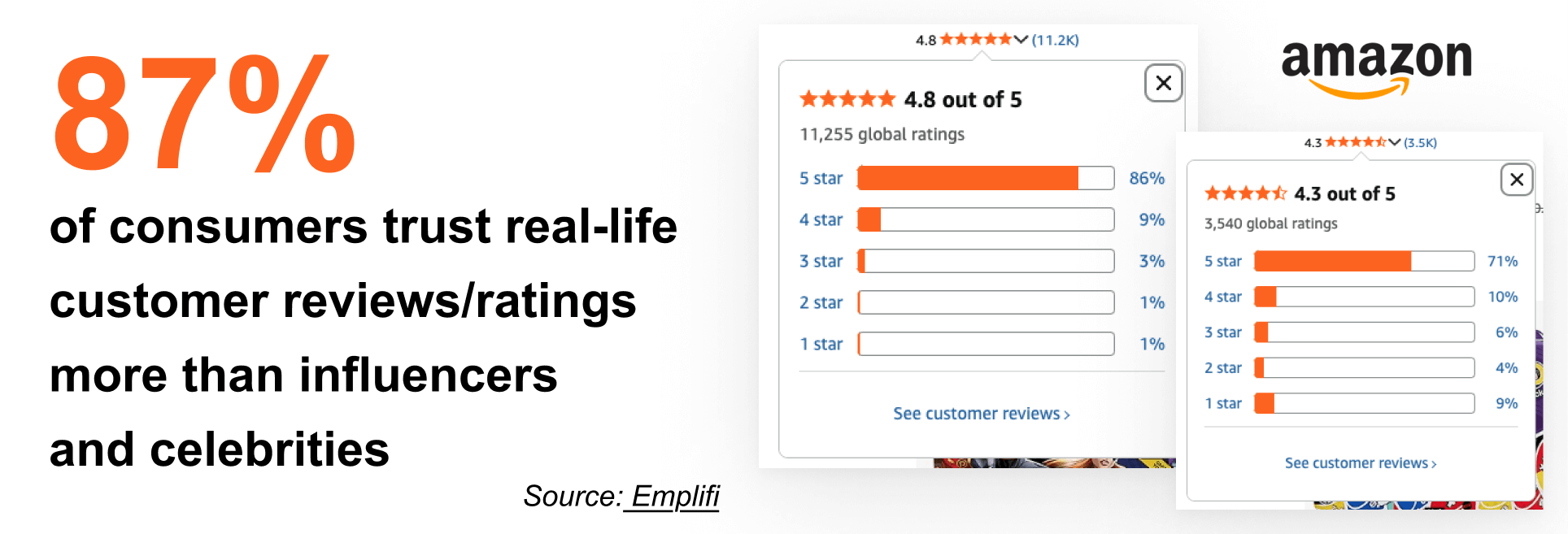
Studies show that customers are highly affected by negative reviews, while high product ratings—especially supported by numerous people—enhance perceived quality and encourage purchases.
Businesses are affected by bad reviews
- Decreasing customer trust. 63% of customers say that seeing mostly negative written reviews would make them lose trust in a business.
- Dropping sales. More negative reviews reduce the share of positive feedback and lower the average star rating. This makes the seller appear less trustworthy as well as impacts visibility, sales, and eligibility for certain Amazon programs.
- Lowering brand perception. Below-average star ratings and negative reviews affect not only potential customers, but also employees and partners, making recruitment and partnerships more challenging.
Clients and other businesses are watching you.
It’s not just your direct customers who take note. Maintaining a stellar rating is fundamental for success among competitors and partners on the Amazon marketplace.How Amazon A9 algorithm works
- Your Seller Feedback Rating and associated account health metrics, like Order Defect Rate (ODR), determine the eligibility for the coveted Buy Box with the “Add to Cart” button responsible for the lion’s share of all sales. Without a high seller rating, you can become ineligible for the Buy Box, even with the lowest price.
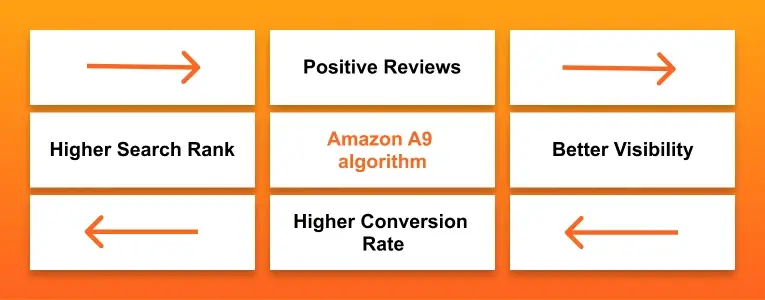
- Reviews influence Amazon’s A9 search algorithm. Products with a higher volume of positive reviews have a better conversion rate, which signals to the algorithm that your listing is highly relevant and desirable, causing it to rank higher in search results on both Amazon and Google.
- Beyond direct platform benefits, strong public ratings serve as a powerful signal of brand health and competence, attracting B2B opportunities from retail partners who use Amazon to research proven, low-risk products.
Bottom line
- More than half of customers lose trust in businesses with multiple negative reviews.
- Good reviews boost profile ranking, search visibility, and conversion rates, as well as ensure Buy Box eligibility.
How to Remove Negative Reviews on Amazon
If you find yourself facing inappropriate or damaging reviews, follow this step‑by‑step guide to removing them.
Reporting and Flagging Inappropriate Reviews
While you can’t remove an Amazon review simply for being negative, you can report it if it violates Amazon’s policies.
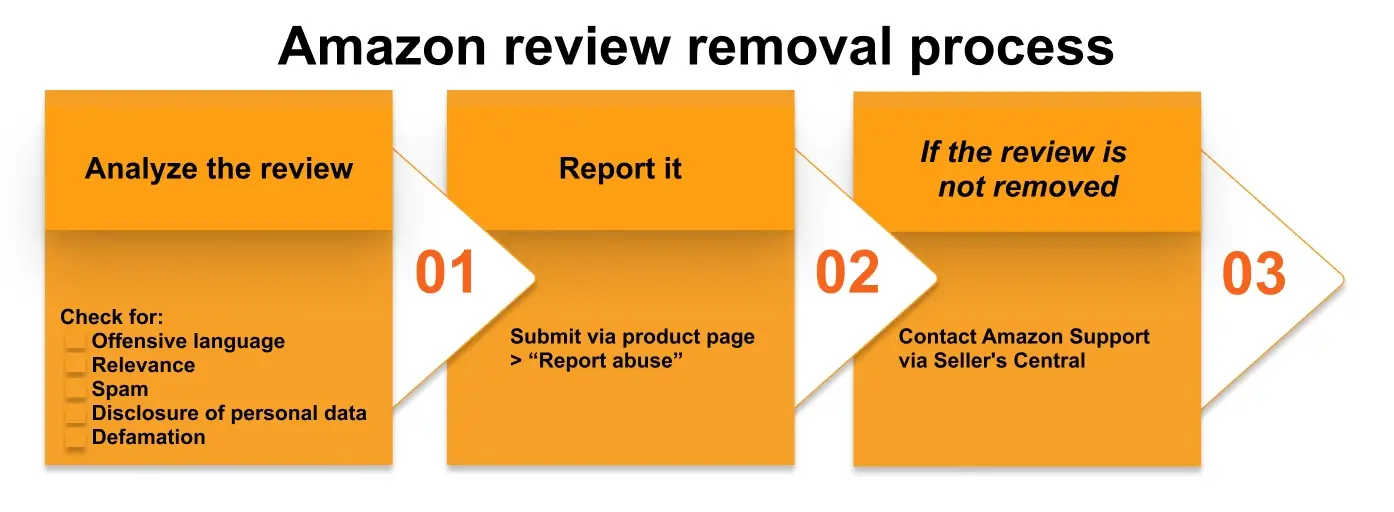
Step 1: Analyze the Review
First, determine if the review breaches Amazon’s Community Guidelines. Common violations include:
- Profanity or offensive language: any use of inappropriate or abusive language.
- Irrelevant content: comments unrelated to the product, such as shipping complaints on a product page.
- Promotional spam: reviews promoting competitors or unrelated products/services.
- Disclosure of personal data: sharing private information about customers or sellers.
- Defamatory statements: false claims that could harm business reputation.
Keep in mind that flagging too many valid reviews can backfire—Amazon may start ignoring future reports, delay working on legitimate requests, or even review your account for misuse.
Step 2: Report the Review
Once you’ve confirmed a violation, you can report the content of a review to Amazon’s team.
- Navigate to your product page and locate the specific review under the Customer Reviews section.
- Below the review’s text, click the “Report abuse” link (may also appear as just “Report”).
- A pop-up window will appear. From the dropdown menu, select the precise violation reason.
- Submit your report. Make sure to note the case ID provided in Seller Central so you can track the status of your removal request.
After reporting, Amazon usually reviews flagged content within 24–72 hours. However, complex cases or manual escalations can take up to a week or more. We estimate that about 20-30% of flagged reviews get removed through the standard “Report abuse” process, depending on the violation’s severity.
Step 3: Contact Amazon Seller Support
If reporting and flagging a negative review doesn’t lead to removal, your next move is to contact Amazon Seller Support directly. Opening a case with Amazon’s support team creates a formal ticket for your business records.
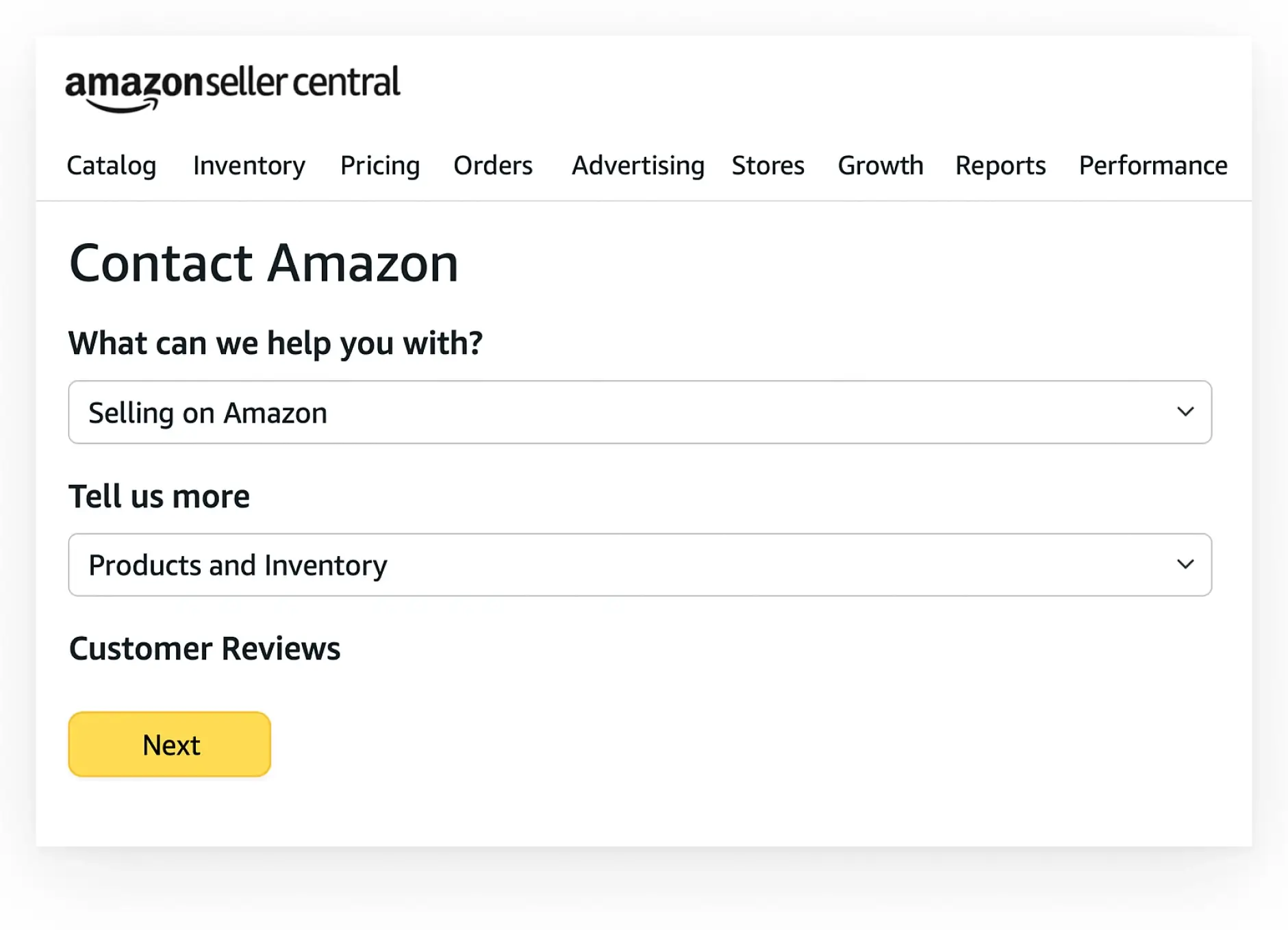
- In Seller Central, go to Help > Contact Us > Selling on Amazon > Products and Inventory > Customer Reviews.
- Explain how the review violates Amazon’s guidelines. Attach relevant screenshots for evidence. When you create the case, your goal is to make it as easy as possible for the Amazon representative to agree with you.
- Include your previous report and case ID to streamline the process. This shows you’ve followed the standard procedure and are now escalating.
Amazon generally allows review removal within 90 days of publication. However, Amazon may remove reviews that violate their guidelines or aren’t related to the buying experience after this period.
If Amazon is slow to react
Sometimes, a support ticket can get stuck with generic responses or no response at all. In these situations, you have the following actionable strategies.
- Open a detailed case. If your first ticket remains unresolved, open a new one with more details — include the ASIN (Amazon Standard Identification Number), review link, annotated screenshots, and a bullet-point summary of policy violations.
- Request escalation. If responses are unhelpful, add: “Please escalate this case to a senior specialist or community-trust team member”. This often routes it to a more experienced agent.
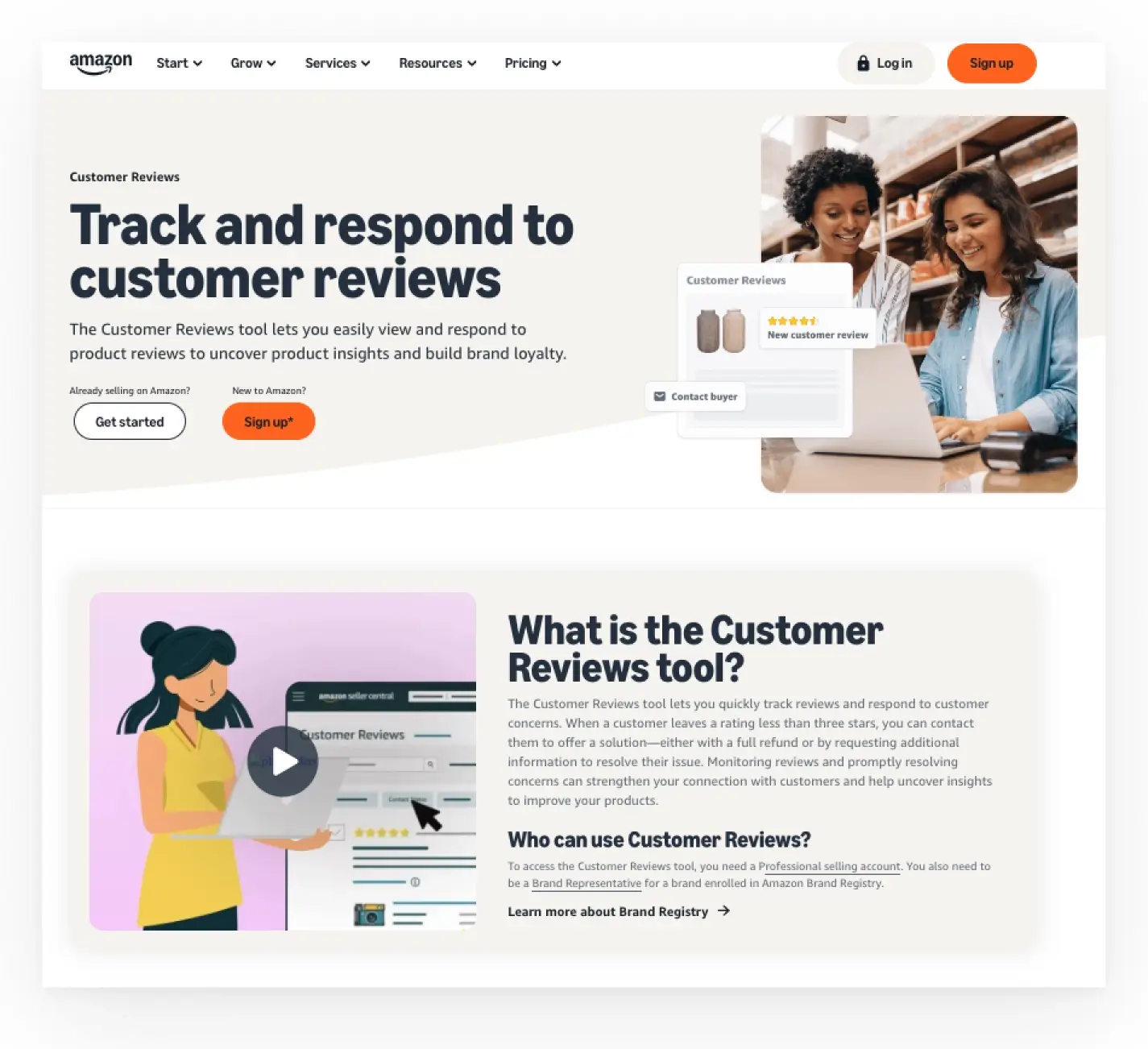
- Use Brand Registry. If enrolled, report through the Brand Registry portal. It gets priority handling and direct access to Amazon’s specialized teams, speeding up review removal.
Step 4: Direct Communication with Amazon
For persistent or high-impact negative reviews, consider the following.
-
- Direct escalation. If you have established contacts with Amazon’s internal teams, contact them to escalate your removal request, bypassing standard support queues for faster resolution.
- Proprietary removal technologies. Use proprietary software or partner with agencies to scan reviews for policy violations and flag issues early. This helps you quickly identify and report inappropriate online content before it can negatively impact your reputation.
- Persuasive case building. Present clear, well-organized evidence—screenshots, timestamps, guideline comparisons—to boost your chances of successful removal.
Follow a clear four‑step process—analyze, report, contact Support team, then escalate if necessary—to flag and remove policy‑violating reviews efficiently. Keep detailed records to streamline each escalation.
While removing a negative review can boost a product’s average rating, the changes to ratings and search rankings may take several hours or up to a day to appear.
Alternatives to Removing Amazon Reviews
Remember that you cannot remove all negative reviews by contacting the platform’s team. Amazon generally only takes action on content that violates its policies. If that is not the case, consider the strategies explained below.
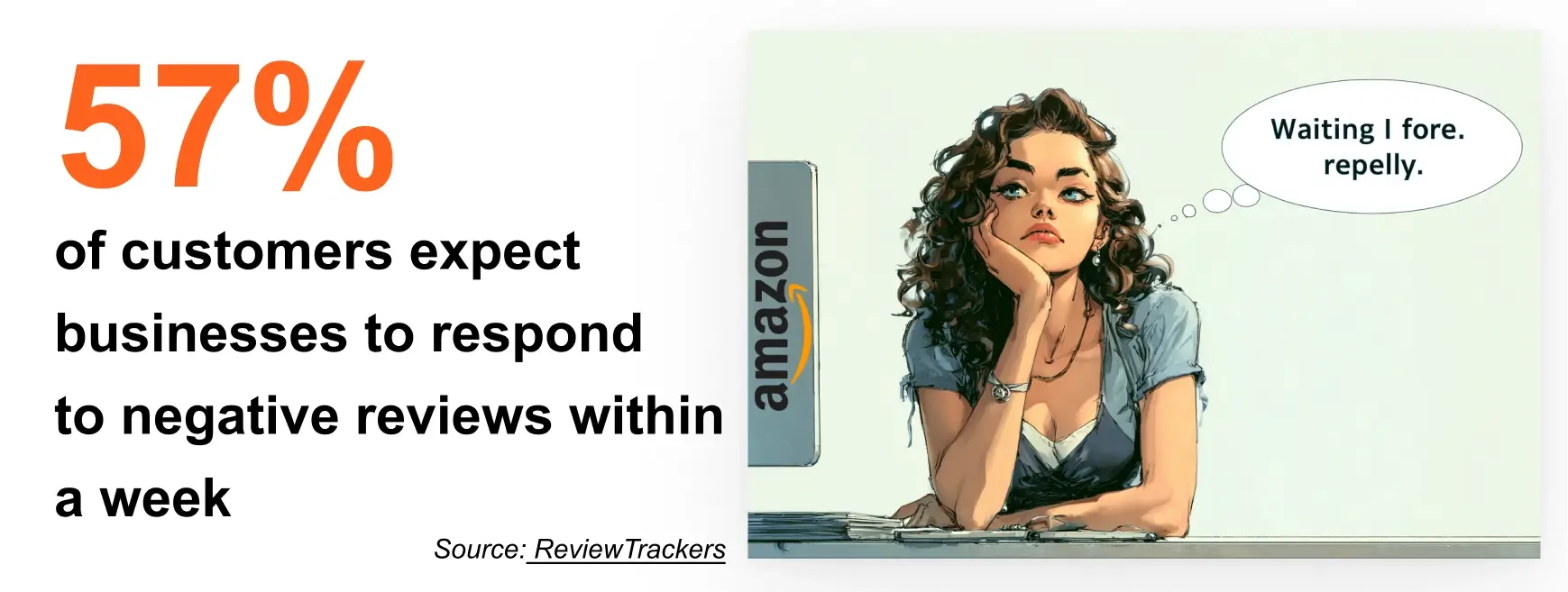
- Keep it professional. Respond respectfully, thank the reviewer, acknowledge valid points, and explain how you addressed the issue—future buyers will be watching.
- Address false claims. If a review misrepresents your product, respond politely with facts and links. Offer clarification—some customers may update or remove the review.
- Encourage edits. After resolving an issue, invite the customer to update their review. Many are open to revising feedback once satisfied.
- Boost positives. Ask happy customers for honest reviews using Amazon’s “Request a Review” button and thoughtful follow-ups to balance out negatives.
While it is important not to leave negative feedback unattended, an occasional not-so-good review might not be that bad. For example, Northwestern University reported that products with a 4.2–4.5 star rating converted better than those with a perfect 5.0. Customers know that nothing is perfect.
Hiring Reputation Management Services
Partnering with a trusted reputation management company can streamline the entire process of removing negative reviews on Amazon. They are deeply familiar with the marketplace’s up-to-date policies.
Such companies have tools for monitoring and alerting in real time about new negative reviews, as well as templates and escalation paths that can be personalized to particular business cases. This way, you can focus on product development while experts safeguard your online reputation.
Bottom line
- Begin by reporting the negative review via the “Report abuse” link.
- If Amazon does not respond, reopen the case and provide detailed evidence, asking for an escalation.
- If your request to remove the review is denied, respond to it professionally. Correct any false claims and ask the customer to edit the review once the situation has been resolved.
Preventing Future Negative Amazon Reviews
Now that you know how to remove bad reviews on Amazon if they appear, stick to the best long-term strategy — prevent negative feedback from appearing in the first place. Proactive reputation management makes review removal easier and strengthens your brand’s online presence.
- Learn and adapt. Use Amazon’s review dashboard to identify complaint patterns and resolve recurring issues, such as shipping delays or product defects. Demonstrating that you act on feedback builds trust and improves brand perception.
- Show client appreciation. Surprise loyal customers with small rewards or thank-you notes to boost their satisfaction. These gestures encourage positive reviews and reduce the likelihood of negative ones.

- Request feedback. Follow up with happy customers and include a direct link to a review site. Most customers are willing to support your business with a quick, positive review when asked.
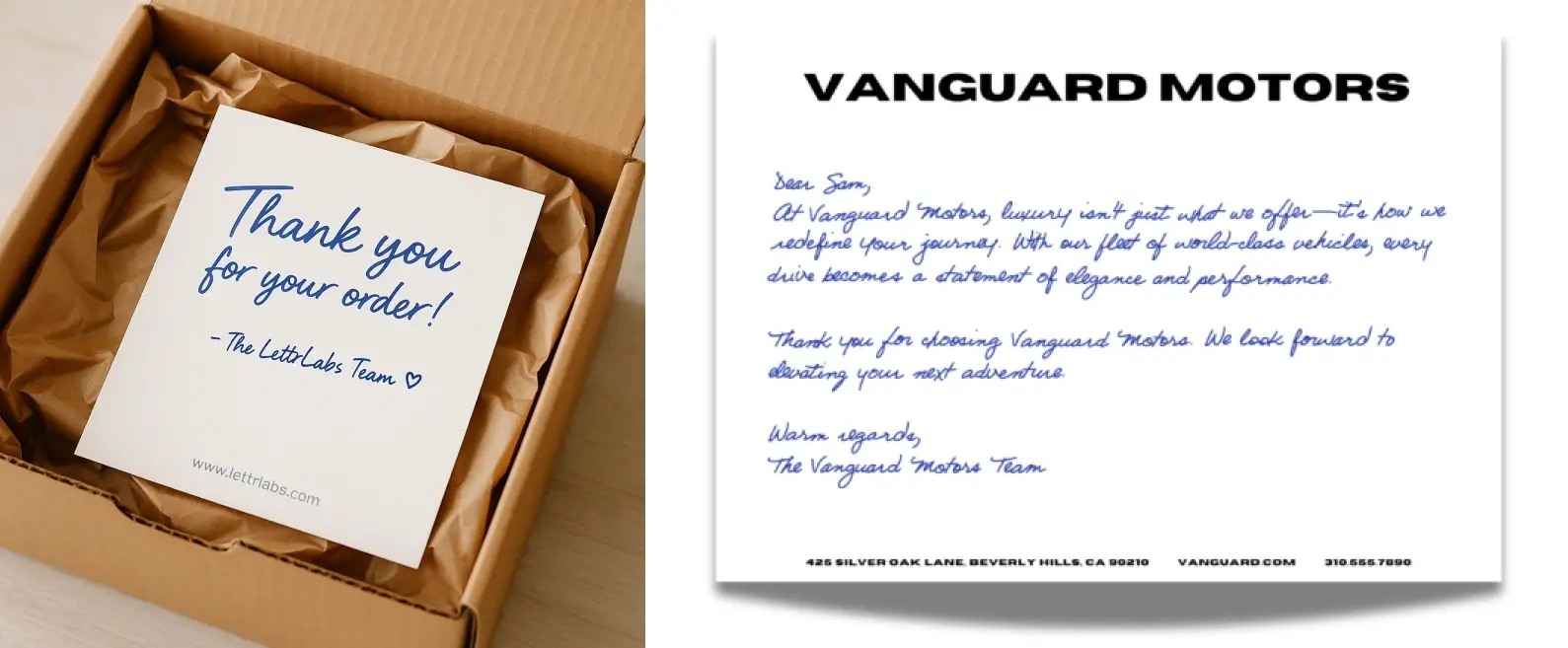
Use your review dashboard to spot recurring complaints and address root causes before they escalate. Invest in thank‑you gifts or personalized follow‑ups, and systematically request feedback from satisfied buyers. A proactive approach reduces negative feedback and strengthens loyalty.
Bottom line
- Use Amazon’s review dashboard to identify and resolve recurring issues before they result in complaints.
- Send thank-you notes or small gifts to loyal customers to make them less likely to leave negative reviews.
- Ask satisfied customers for positive feedback to boost your profile’s rating.
What Not To Do To Improve your Business Image
When learning how to remove bad reviews on Amazon, it’s just as important to know what not to do. Always keep in mind what actions are likely to backfire.
Don’t coerce or bribe
While it might appear as a good idea at first glance, offering incentives in exchange for review removal directly violates Amazon’s policies. Attempting to bribe customers or offer refunds, discounts, or free products in return for deleting or altering a review can result in account suspension or even a permanent ban.
Avoid blame games
Publicly blaming reviewers for their opinions only fuels further negativity and can harm your brand’s image. Instead, leave a positive comment explaining your full and unbiased perspective on the current situation. Aim to show willingness to resolve the issue. This approach is far more effective than trying to remove negative reviews on Amazon through confrontation.
Be careful with fake reviews
“Review farms” or fake-review services are often employed to attempt to drown out negative feedback. However, the algorithms employed by Amazon, Google and other tech IT-giants can effectively detect fraudulent activity. If this happens, you risk permanent removal from the marketplace.
Avoid any tactics that violate Amazon policies and risk account suspension. Instead, focus on genuine support, solution‑focused replies, and ethical review‑generation methods.
Bottom line
- Do not offer incentives to change or remove reviews. Doing so may result in account suspension.
- Avoid public arguments. Respond calmly and focus on finding a solution.
- Never use fake reviews. Amazon easily detects fraudulent activity.
The Role of AI in Review Management
In managing online reputation, artificial intelligence offers both new opportunities and challenges for brands and platforms alike.
- AI-assisted reviews. Digital solutions, such as Bazaarvoice’s “Content Coach”, outline the new trend of AI helping create insightful and helpful reviews of products and services. However, this poses trust and authenticity risks if such reviews appear as co-written by AI.
- Smarter fake detection. Amazon and other marketplaces deploy AI agents to check review authenticity. Machine learning algorithms can spot suspicious patterns, such as unnatural language, sudden spikes in positive or negative feedback, and accounts that post similar reviews, on a scale.
As fraudsters use AI to create more convincing fakes, companies are working to improve their ability to detect them. However, don’t be surprised if some legitimate reviews are blocked in the process. It’s difficult to filter out the noise without silencing the real voice of the customer.
Conclusion
In the crowded Amazon marketplace, your reputation is an essential part of your business. Even just one negative review can impact sales, discourage potential buyers, and damage the trust of the existing ones.
But you are not powerless. If you face negative reviews on Amazon, apply the strategies from this guide to protect your reputation and long-term viability on the world’s most competitive storefront.
Reputation America Removal Services
Removing reviews often gets complex and time-consuming. At Reputation America, our team specializes in helping businesses and individuals minimize the impact of negative content on their reputation. We handle the entire process—reporting, escalation, and follow-up—so you can focus on growing your business.
Clients Feedback
“Reputation America identified and removed 27 false reviews across Indeed, Glassdoor, Trustpilot and more—our marketing firm’s pipeline filled back up within days!”
— XXX
They de‑indexed two links exposing my private data on niche forums, and I haven’t seen my personal information surface since. I finally feel safe online again.”
— YYY
“Reputation America’s team negotiated with CNN’s editors and had four irrelevant articles wiped from the archives. It’s like those stories never existed.”
— ZZZ
FAQ
Yes, but only under specific circumstances. Amazon protects genuine customer opinions, so they’ll remove a review only if it breaks Community Guidelines—such as containing abusive language or promotional content.
Amazon strictly prohibits fraudulent review practices, including using AI to generate false testimonials. Violations can lead to account suspension and other penalties
A single bad review is unlikely to ruin an established business but should serve as a warning sign. Multiple negatives can damage reputation and sales, so proactively managing feedback is essential for long‑term success.
List of sources





This article does not have any comments. Be first to leave one.